Want a higher CPS score? Learn what CPS test is, how it works, and how you can increase your clicking speed with easy tips and techniques.
What Is CPS Test, How It Works, and How to Improve Clicking Speed (2026 Guide)
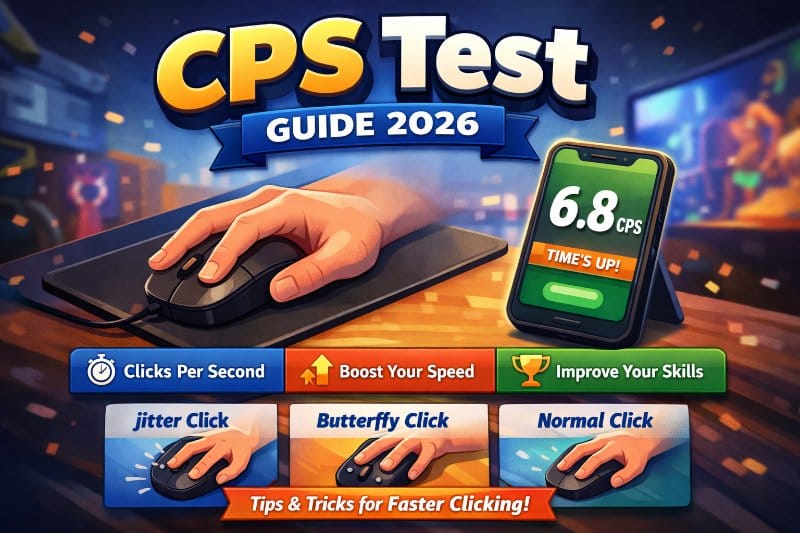
Direct Answer
A CPS test is a simple way to check how fast you can click your mouse or tap your screen. CPS means clicks per second, which tells you how many clicks you can make in one second. People mostly use it to test their speed and improve their performance in games.
Visit Our : Typing Speed Test Tools
Quick Facts
- CPS means clicks per second
- Most people score between 5 and 8
- Skilled users often reach 10 or more
- You can test it using a mouse or mobile screen
- It is popular among gamers
What Is a CPS Test
A CPS test is one of those tools that looks very basic at first. You open it, start clicking, and get a number. That number is your CPS score.
But once you try it a few times, you start noticing patterns. Some clicks feel faster. Sometimes your hand gets tired. Sometimes your score suddenly drops. That is when it becomes more than just a simple test.
Many gamers use CPS tests to get better at fast-paced games. In those games even small difference is matter. At the same time lot of people use CPS tests just for fun or challenge their friends.
How Does CPS Test Work
The idea behind CPS test is simple. It counts how many time you click in specific time and then calculate your average.
For example if you click 30 times in 5 seconds your CPS will be 6 The math is not complicated but consistency is matters.
You might notice that your first clicks are fast then your speed is slow. This is completely normal. This is not about just to click fast but to keep that speed steady.
Some tools also show extra details like your best score or how to stable your clicks. These small details can actually help you to improve your speed if you pay attention.
Why This CPS Test Matter
At first CPS test may feel like just another online tool But it actually helps you understand your reaction speed and control.
If you play games, especially competitive ones, clicking speed can affect your performance. Faster clicks can help you react quicker and perform actions more efficiently.
Even if you are not a gamer, it is still a good way to train your hand coordination. Over time, you will notice better control and smoother movement.
It also gives you a clear way to track progress. Instead of guessing, you can see your improvement in numbers.
How to Take a CPS Test
Taking a CPS test is easy, but doing it properly makes a difference.
- Open any CPS test tool
- Choose a time limit like 5 or 10 seconds
- Start the test
- Click as fast as you can
- Wait for the result
If you are new, do not worry about your score too much. Just focus on getting comfortable with the movement.
A small tip. Use a flat and stable surface. It helps more than most people think.
Check Out Our : Spacebar Clicker
What Is a Good CPS Score
A lot of people ask this question right after their first test. The answer depends on your experience.
Most beginners fall between 5 and 6 CPS. After some practice, reaching 7 or 8 becomes easier. If you are hitting 10 or more, that is already above average.
Some advanced users go even higher, but that usually involves specific techniques and a lot of practice.
Do not compare yourself too quickly. Everyone improves at a different pace. Focus on beating your own previous score.
How to Improve Clicking Speed
Improving your CPS is not about clicking harder. It is about clicking smarter and staying consistent.
Start with short practice sessions. Even 5 minutes a day is enough if you do it regularly.
Keep your hand relaxed. If your muscles are tight, your speed will drop quickly. Many beginners make this mistake.
Try clicking in short bursts instead of going all out from the start. This helps you maintain speed for longer.
Also, pay attention to your grip. A comfortable grip gives you better control.
If your hand starts feeling tired or uncomfortable, stop. Pushing too much can actually slow your progress.
Best Clicking Techniques
There are different ways to click faster. Each method feels different, so you have to see what works for you.
Jitter Clicking
This method involves creating small vibrations in your hand to click faster.
It can increase your speed quickly, but it may feel strange at first. Some people find it hard to control.
Butterfly Clicking
This technique uses two fingers instead of one.
You alternate between fingers, which increases your clicking speed a lot. It is one of the fastest methods, but it takes time to learn properly.
Normal Clicking
This is the most natural way to click.
It is easy and comfortable, but it has a speed limit. Still, it is a good starting point for beginners.
Comparison Table
Method | Speed | Difficulty
Jitter Clicking | High | Medium
Butterfly Clicking | Very High | Hard
Normal Clicking | Low | Easy
Common Mistakes to Avoid
Many people struggle to improve because of small mistakes.
Clicking too hard is one of them. Speed matters more than force.
Another common issue is tensing your hand. This reduces flexibility and slows you down.
Some users practice too long without breaks. This leads to fatigue and lower scores.
Ignoring technique is also a mistake. Random clicking will not give consistent results.
Fixing these small issues can improve your score faster than you expect.
CPS Test on Mobile
You can also try CPS tests on your phone. Instead of clicking, you tap the screen.
Mobile tests feel different because the surface and movement are not the same as a mouse. That is why scores are usually lower.
Still, it is a fun way to practice and challenge yourself when you do not have access to a computer.
Try the CPS Test
If you have not tried a CPS test yet, give it a shot. Start with a short test and see your click speed.
Repeat it a few times and track your progress. You will start noticing small improvements, and that is what keeps it interesting.
Frequently Asked Questions
Quick answers about CPS test, clicking speed, and practice tips.
What is a good CPS score
Can I improve CPS quickly
Which clicking method is fastest
Is CPS important for gaming
Can I do a CPS test on mobile
Conclusion
A CPS test may look simple but it’s tells you lot about your speed. With practice and the right approach you can improve steadily and see real result over time.